01
DAT-012

Teamwork and Collaboration with Cloud Services
Cloud collaboration tools for sharing SOLIDWORKS designs, markup, secure storage, design review, revision communication, and project task visibility.
Project planning tools for coordinating engineering tasks, timelines, ownership, and project visibility.
Plan, manage, and deliver projects faster by connecting your people, tasks, deliverables, and product data on the 3DEXPERIENCE platform. Project Planner helps teams stay organized, track progress, and keep product development moving with greater clarity.
Project Planner is a cloud-based project planning, execution, and monitoring solution available in the 3DEXPERIENCE Works portfolio. It helps teams define project tasks, assign responsibilities, manage deliverables, and track progress in one connected environment. By bringing people, schedules, milestones, and product data together, Project Planner improves visibility across the complete project lifecycle. Teams can plan better, collaborate more effectively, and stay aligned from the first idea to final delivery.
Use this solution to reduce file confusion, improve revision control, and keep engineering teams aligned across locations. Khodiyar Infotech supports licensing, deployment planning, user onboarding, and workflow setup.

Keep your project information, tasks, deliverables, and related product data in one secure cloud environment. Project Planner helps teams avoid scattered files, disconnected updates, and unclear ownership by creating a central space where everyone can access the latest project information.
Project Planner allows teams to access project data, tasks, and updates through a web browser. Whether users are working from the office, home, or another location, they can stay connected to project progress and collaborate with stakeholders from anywhere.
Project Planner runs on the 3DEXPERIENCE platform, making it easier for teams to start using cloud-based project planning without heavy infrastructure requirements. It helps organizations improve project visibility, task tracking, and collaboration with a flexible deployment approach.
Collaborate securely with guidance from Khodiyar Infotech, including software selection, licensing, training, and adoption support.
Key workflow areas where this solution helps teams improve productivity, accuracy, and collaboration.
Project Planner provides a collaborative planning environment where teams can define tasks, assign owners, set milestones, and track deliverables throughout the project. It helps everyone understand what needs to be done, who is responsible, and how the project is progressing. With shared access to project information, teams can work more efficiently across departments and locations. This reduces confusion, improves accountability, and helps product development teams stay focused on timelines, priorities, and outcomes.
Request Guidance →
Clear communication is essential when multiple teams are working on the same product development project. Project Planner helps stakeholders stay aligned by keeping project activities, updates, responsibilities, and deliverables visible in one connected workspace. Teams can manage task progress, review project status, and coordinate actions without depending only on long email chains or disconnected spreadsheets. This helps reduce delays, avoid missed updates, and improve collaboration between design, engineering, manufacturing, and management teams.
Request Guidance →
Project Planner gives teams better visibility into project progress, priorities, and pending actions. By connecting tasks, resources, deliverables, and timelines, it helps managers and team members understand where a project stands and what needs attention. This visibility makes it easier to identify delays, manage workload, track ownership, and make timely decisions. With project information available in a connected cloud environment, teams can use past and current project knowledge to plan future work more effectively.
Request Guidance →
Use this section only when package comparison is relevant. Khodiyar Infotech can help you select the right license based on your workflow.
| Feature | Standard | Professional Recommended | Premium |
|---|---|---|---|
| 3D Part Modeling | ✓ | ✓ | ✓ |
| Assembly Design | ✓ | ✓ | ✓ |
| 2D Drawings | ✓ | ✓ | ✓ |
| Design Reuse Tools | ✓ | ✓ | ✓ |
| CAD Libraries | — | ✓ | ✓ |
| Manufacturability Checks | — | ✓ | ✓ |
| Cost Estimation | — | ✓ | ✓ |
| Photo-Realistic Rendering | — | ✓ | ✓ |
| Advanced Component Libraries | — | — | ✓ |
| Design Validation | — | — | ✓ |
| Motion Analysis | — | — | ✓ |
| Routing Tools | — | — | ✓ |
| Advanced Simulation | — | — | ✓ |
| Cloud Collaboration | — | ✓ | ✓ |
| Data Management Support | — | — | ✓ |
| Training and Support | ✓ | ✓ | ✓ |
Khodiyar Infotech can help you compare Standard, Professional, and Premium options based on your actual workflow.
Three ways to deploy SOLIDWORKS Design — pick the model that fits how your team actually works.
Ideal for individual designers, engineers, or professionals who need dedicated access.
Suitable for engineering teams, shared workstations, and controlled business environments.
For teams that need collaboration, review, and connected workflows across locations.
We do more than provide software. We help your team select, implement, learn, and use SOLIDWORKS with confidence.
Understand which SOLIDWORKS product and package fits your workflow.
Get clear guidance before investing in software.
Get assistance with setup, deployment, and onboarding.
Help your team build practical skills and use the software effectively.
Software value depends on how confidently your team can use it. We provide practical training to help users improve speed, accuracy, and workflow confidence.
Get up to speed on SOLIDWORKS fundamentals — modeling, sketching, drawings, and assemblies.
Tackle complex modeling techniques, surfacing, sheet metal, and weldments with expert guidance.
Train teams on shared workflows, design standards, libraries, and PDM best practices.
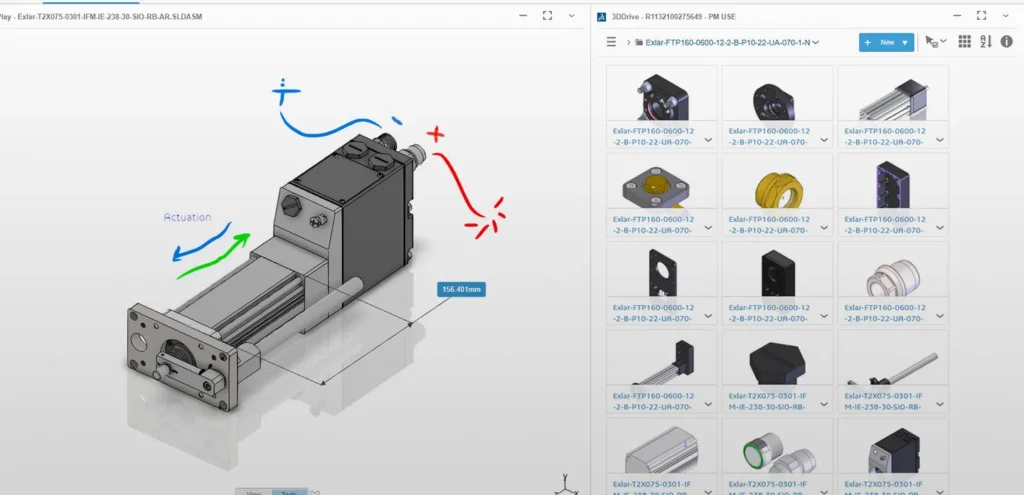
Cloud collaboration tools for sharing SOLIDWORKS designs, markup, secure storage, design review, revision communication, and project task visibility.
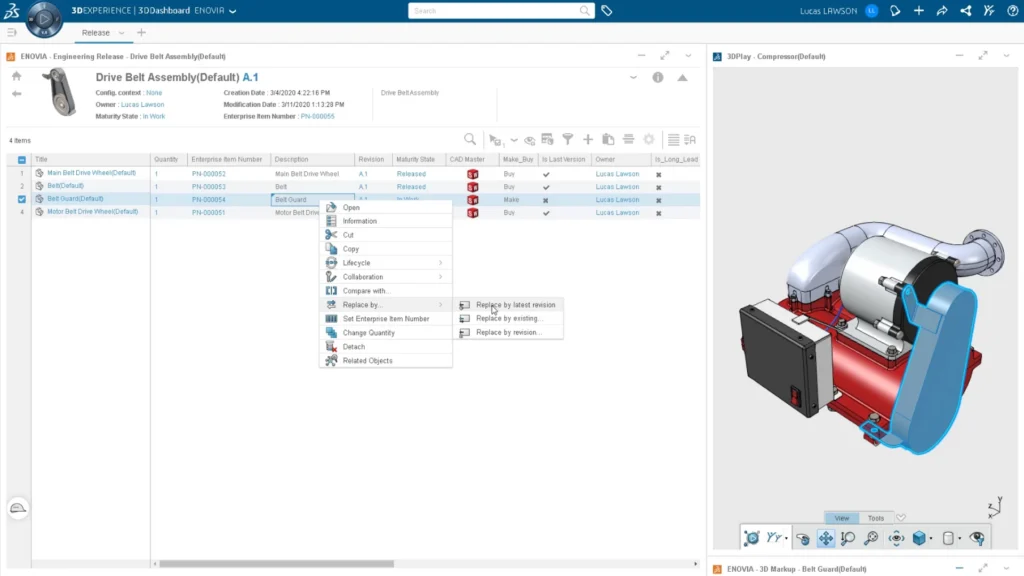
Manage product release workflows, approvals, and lifecycle processes.
Collaborate, communicate, and manage design communities through the 3DEXPERIENCE platform.
SOLIDWORKS Project Planner is commonly used by product development and engineering teams that need to plan tasks, manage schedules, track milestones, and keep project stakeholders aligned in one cloud-based workspace.
Used by engineering teams to plan product development activities, define project stages, assign responsibilities, and keep design work moving toward delivery.
Helps teams create, assign, and monitor project tasks so designers, engineers, managers, and stakeholders know what needs to be done and when.
Useful for tracking project milestones, task timelines, planned dates, delayed activities, and overall project progress with better visibility.
Supports collaboration between design, engineering, manufacturing, management, and external stakeholders by keeping project updates and responsibilities connected.
Ideal for teams working from different locations who need secure browser-based access to project information, tasks, dashboards, and updates.
Helps managers view and track one or multiple projects through dashboards, making it easier to understand project health, progress, and pending actions.
Find answers to common questions about SOLIDWORKS Project Planner, including task planning, schedule management, milestone tracking, cloud collaboration, dashboards, and how it supports product development teams.
SOLIDWORKS Project Planner is used for planning, executing, and monitoring product development projects. It helps teams define tasks, assign responsibilities, track deliverables, manage milestones, and keep project progress visible in a cloud-based environment.
Yes. Project Planner works through the 3DEXPERIENCE platform, allowing teams to access project information, tasks, dashboards, and updates through a browser from an internet-connected device.
Yes. Project Planner allows teams to create project tasks, define milestones, set estimated durations, and manage schedules more clearly. This helps teams understand what is on time, what is delayed, and what still needs attention.
It gives team members and stakeholders a shared workspace where they can view project status, manage tasks, discuss updates, share content, and stay informed without depending only on emails or phone calls.
Yes. Teams can use dashboards to view, track, and manage project information. Dashboards help users monitor project progress, assigned work, shared tasks, and key updates more easily.
Yes. Project Planner is part of the 3DEXPERIENCE Works portfolio and can support planning and execution workflows connected with SOLIDWORKS and other 3DEXPERIENCE Works solutions.
Yes. Since it is browser-based, remote and distributed teams can access project data, communicate updates, review tasks, and track progress from different locations.
Yes. Khodiyar Infotech can help your team understand SOLIDWORKS Project Planner, evaluate whether it fits your project workflow, guide you with licensing options, and support setup, training, and adoption.
Khodiyar Infotech can help you understand licensing, implementation requirements, training options, and the right next step for your team.