Product Communicator

Home/Product Detail
SOLIDWORKS Product

Product
Communicator.

Create product communication assets using 3D design information.

CommDocumentationSales
Licensing Guidance
Training Available
Implementation Support
Local Expert Assistance
Ø 142.0
R 38.5
ZXY
VERSION Official SOLIDWORKS SolutionPLATFORM WIN64STATUS READY
// 01 — Overview

What is Product Communicator?

Create stunning digital content to clearly share design intent and promote your products before they are physically manufactured. Product Communicator helps teams create product visuals, renderings, videos, presentations, and technical illustrations from CAD models.

Product Communicator is a browser-based role on the 3DEXPERIENCE platform that helps makers, designers, technical sales teams, and marketers create visual product content from CAD models. It allows users to generate product shots, renderings, videos, technical illustrations, and presentations for different communication needs.

With Product Communicator, teams can explain product ideas more clearly before a physical prototype is ready. It helps users turn design data into professional visuals for design reviews, marketing content, customer presentations, product launches, and technical communication.

Use this solution to help teams communicate product value before physical prototypes are ready. Khodiyar Infotech helps you select, deploy, and learn the right visualization or communication tools.

  • Photorealistic rendering
  • Technical communication
  • Cloud product visuals
  • Presentation-ready content
Talk to a SOLIDWORKS Expert →
SOLIDWORKS_DESIGN.IDEv.Official SOLIDWORKS Solution
SOFTWARE_INTERFACE.PNG
// 02 — Benefits

How Product Communicator Helps Your Team.

/// 01
+01

Work from Anywhere

Product Communicator is fully browser-based, allowing users to create and share product visuals from the office, shop floor, or any connected location. Teams can work with product communication content without depending on one specific workstation.

/// 02
+02

Stand Out

Product Communicator helps teams present products in a more compelling way through visuals, product guides, and digital content. This makes it easier to show product value, explain design details, and communicate why the product is unique.

/// 03
+03

Sneak Peek

Teams can create product visuals before the product is manufactured. This helps businesses present design concepts, product variations, and launch-ready visuals earlier in the development process.

/// 04
+04

Better Product Communication

Instead of depending only on drawings or basic screenshots, Product Communicator helps teams communicate using polished visuals, animations, technical illustrations, and interactive content. This improves understanding across customers, sales teams, marketing teams, and stakeholders.

// 03 — Capabilities

Product Communicator Capabilities.

Product Communicator provides cloud-based tools for creating visual product content, technical communication assets, and presentation-ready materials from CAD models.

/// CAPABILITY 01

A Picture is Worth a Thousand Words

Product Communicator helps users create photorealistic product shots that clearly show product design, materials, finishes, and important details. These visuals can be used for brochures, websites, catalogs, customer presentations, and design reviews, helping teams explain products more effectively before physical samples are available.

Request Guidance →
A Picture is Worth a Thousand Words
/// CAPABILITY 02

Create an Experience that Transports Your Customers

Product Communicator allows teams to go beyond static images by creating interactive and visual product experiences. Users can prepare content that helps customers explore product features, understand assembly or usage steps, and engage with the product story in a more immersive way.

Request Guidance →
Create an Experience that Transports Your Customers
/// CAPABILITY 03

Bring Ideas to Life in the Cloud

With cloud-based capabilities on the 3DEXPERIENCE platform, Product Communicator allows users to create and share visual content without heavy local infrastructure. Teams can generate product visuals, collaborate on communication assets, and use design data more effectively from anywhere.

Request Guidance →
Bring Ideas to Life in the Cloud
// 04 — Packages

Product Communicator Package Guidance.

Use this section only when package comparison is relevant. Khodiyar Infotech can help you select the right license based on your workflow.

FeatureStandardProfessional RecommendedPremium
3D Part Modeling
Assembly Design
2D Drawings
Design Reuse Tools
CAD Libraries
Manufacturability Checks
Cost Estimation
Photo-Realistic Rendering
Advanced Component Libraries
Design Validation
Motion Analysis
Routing Tools
Advanced Simulation
Cloud Collaboration
Data Management Support
Training and Support

Not Sure Which Package is Right?

Khodiyar Infotech can help you compare Standard, Professional, and Premium options based on your actual workflow.

Compare Packages with Expert →
// 05 — Licensing

Licensing and Deployment Guidance.

Three ways to deploy SOLIDWORKS Design — pick the model that fits how your team actually works.

/// LIC.01
01

Individual License

Ideal for individual designers, engineers, or professionals who need dedicated access.

  • Named-user access
  • Flexible usage
  • Best for individual CAD users
Ask About License →
/// LIC.02
02

Team / Network License

Suitable for engineering teams, shared workstations, and controlled business environments.

  • Team-based access
  • Centralized control
  • Suitable for growing design teams
Ask About License →
/// LIC.03
03

Cloud-Connected Options

For teams that need collaboration, review, and connected workflows across locations.

  • Cloud collaboration
  • Design sharing
  • Better team communication
Ask About License →
// 06 — Why Buy from Us

Why Buy SOLIDWORKS Through
Khodiyar Infotech?

We do more than provide software. We help your team select, implement, learn, and use SOLIDWORKS with confidence.

/// 01
01

Product Consultation

Understand which SOLIDWORKS product and package fits your workflow.

/// 02
02

License Selection

Get clear guidance before investing in software.

/// 03
03

Installation & Setup Support

Get assistance with setup, deployment, and onboarding.

/// 04
04

Training & Ongoing Assistance

Help your team build practical skills and use the software effectively.

// 07 — Training

SOLIDWORKS Training for Better Adoption.

Software value depends on how confidently your team can use it. We provide practical training to help users improve speed, accuracy, and workflow confidence.

/// TRACK.01

Beginner Training

Get up to speed on SOLIDWORKS fundamentals — modeling, sketching, drawings, and assemblies.

  • Sketching & part modeling
  • Assembly basics
  • 2D drawing creation
View Training →
/// TRACK.02

Advanced CAD Training

Tackle complex modeling techniques, surfacing, sheet metal, and weldments with expert guidance.

  • Advanced part techniques
  • Sheet metal & weldments
  • Top-down design
View Training →
/// TRACK.03

Team Workflow Training

Train teams on shared workflows, design standards, libraries, and PDM best practices.

  • Design standards
  • PDM workflow basics
  • Library & template setup
View Training →
// 09 — Use Cases

Where Product Communicator is Commonly Used.

Product Communicator is commonly used by designers, makers, sales teams, marketing teams, and technical communication teams that need to turn CAD models into clear visual content. It helps create product images, renderings, animations, presentations, and technical illustrations directly from 3D design data.

+
Product Marketing Visuals

Used to create high-quality product images, renderings, and promotional visuals for brochures, websites, presentations, and launch campaigns before the product is physically manufactured.

+
Technical Illustrations

Helps teams create clear product illustrations that explain components, features, internal details, assembly views, and product functions in a more visual and understandable way.

+
Sales Presentations

Useful for preparing product presentations that help sales teams explain design value, product features, variations, and use cases more effectively to customers.

+
Product Launch Preparation

Used when teams need to create visuals, videos, and product communication assets before prototypes or final production units are available.

+
360° Product Views

Helps create interactive product views and turntable-style visuals so customers, stakeholders, and internal teams can understand the product from different angles.

+
Assembly and Work Instructions

Useful for creating visual assembly instructions, product guides, and step-by-step communication content based on 3D models.

+
Design Storytelling

Helps designers and makers present their ideas more clearly by turning CAD models into attractive visuals that communicate the look, function, and value of the product.

+
Cloud-Based Content Creation

Used by teams that want to create and share product visuals from a browser, whether they are working from the office, shop floor, or another location.

// 10 — FAQ

Frequently Asked Questions About Product Communicator.

Find answers to common questions about Product Communicator, including product renderings, technical illustrations, animations, browser-based access, 3D presentations, CAD model usage, and how it helps teams communicate product ideas.

01What is Product Communicator used for?

Product Communicator is used to create product shots, renderings, videos, presentations, technical illustrations, animations, and visual communication content from CAD models. It helps teams explain and promote products before a physical prototype is available.

02Is Product Communicator browser-based?

Yes. Product Communicator is browser-based and works through the 3DEXPERIENCE platform, allowing users to create and share product visuals from supported devices without depending on a traditional installed desktop workflow.

03Who should use Product Communicator?

Product Communicator is useful for product designers, makers, marketing teams, sales teams, technical communicators, and anyone who needs to present product ideas using clear and professional 3D-based visuals.

04Can Product Communicator create photorealistic product images?

Yes. Product Communicator can create photorealistic product shots from CAD models and can help teams showcase products with high-quality visuals, lighting, and presentation-ready output.

05Can it create product animations and presentations?

Yes. Product Communicator can be used to create videos, interactive presentations, technical illustrations, and assembly-related visual content from product models. SOLIDWORKS also highlights its use for marketing images, assembly instructions, animations, and 3D outputs.

06Does Product Communicator help before manufacturing starts?

Yes. Teams can create product visuals at different stages of CAD design, making it easier to show product variations, explain concepts, and support marketing or sales activities before the product is manufactured.

07What apps are included with Product Communicator?

The Product Communicator role includes applications such as xStudio for product shots and renderings, and xHighlight for interactive storytelling and technical illustrations.

08Can Product Communicator help with technical communication?

Yes. It helps create visual product guides, technical illustrations, assembly instructions, and other communication assets that make product information easier to understand for customers, suppliers, and internal teams.

09Can Khodiyar Infotech help with Product Communicator?

Yes. Khodiyar Infotech can help your team understand Product Communicator capabilities, choose the right 3DEXPERIENCE options, and get guidance for licensing, setup, training, and adoption.

// Ready to Talk

Need Help Choosing
Product Communicator?

Khodiyar Infotech can help you understand licensing, implementation requirements, training options, and the right next step for your team.

ProductProduct Communicator
Packages3 Tiers
Free ConsultationIncluded
Quote Validity30 Days
LanguagesEN · HI · GU

SOLIDWORKS Composer

Home/Product Detail
SOLIDWORKS Product

SOLIDWORKS
Composer.

Technical communication software for creating product manuals, assembly instructions, exploded views, and graphical documentation.

CommunicationDocumentationTechnical
Licensing Guidance
Training Available
Implementation Support
Local Expert Assistance
Ø 142.0
R 38.5
ZXY
VERSION Official SOLIDWORKS SolutionPLATFORM WIN64STATUS READY
// 01 — Overview

What is SOLIDWORKS Composer?

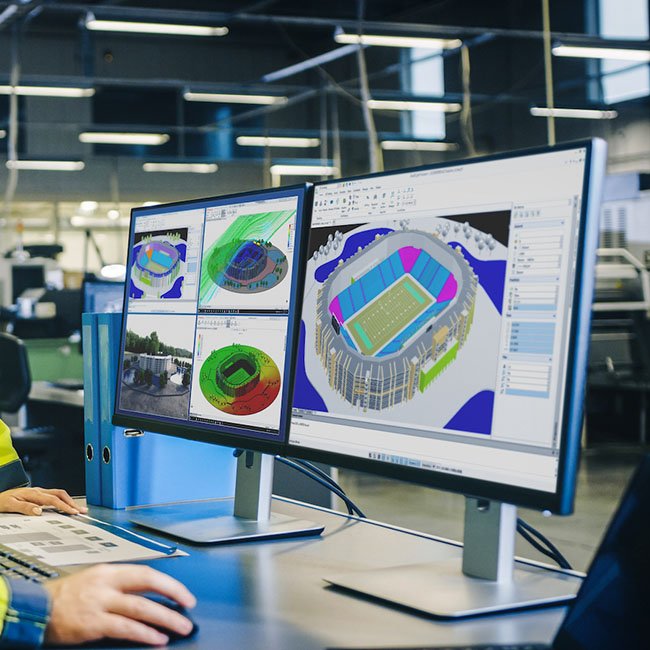
Create clear technical documentation, assembly instructions, product manuals, and interactive content directly from your 3D CAD data. SOLIDWORKS Composer helps teams explain products, processes, and procedures with accurate visuals that stay connected to design changes.

SOLIDWORKS Composer is a technical communication tool that helps teams reuse 3D CAD data to create 2D and 3D graphical content for product documentation. It is used for manufacturing assembly instructions, product manuals, installation guides, service manuals, training material, marketing brochures, and sales bidding kits.

Because Composer works directly from 3D CAD data, documentation teams can begin creating content early in the design process. When the product design changes, Composer visuals can be updated with the latest geometry, metadata, BOM, and manufacturing information, helping documentation stay accurate and current.

Use this solution to help teams communicate product value before physical prototypes are ready. Khodiyar Infotech helps you select, deploy, and learn the right visualization or communication tools.

  • Technical illustrations
  • Assembly instructions
  • Exploded views
  • CAD-linked documentation
Talk to a SOLIDWORKS Expert →
SOLIDWORKS_DESIGN.IDEv.Official SOLIDWORKS Solution
SOFTWARE_INTERFACE.PNG
// 02 — Benefits

How SOLIDWORKS Composer Helps Your Team.

/// 01
+01

Create better product visuals

Create better product visuals with guidance from Khodiyar Infotech, including software selection, licensing, training, and adoption support.

/// 02
+02

Reduce prototype dependency

Reduce prototype dependency with guidance from Khodiyar Infotech, including software selection, licensing, training, and adoption support.

/// 03
+03

Support sales communication

Support sales communication with guidance from Khodiyar Infotech, including software selection, licensing, training, and adoption support.

/// 04
+04

Improve technical documentation

Improve technical documentation with guidance from Khodiyar Infotech, including software selection, licensing, training, and adoption support.

// 03 — Capabilities

SOLIDWORKS Composer Capabilities.

Key workflow areas where this solution helps teams improve productivity, accuracy, and collaboration.

/// CAPABILITY 01

Technical illustrations

Use SOLIDWORKS Composer to support technical illustrations as part of a more controlled and productive engineering workflow.

Request Guidance →
TECHNICAL_ILLUSTRATIONS.PNG
/// CAPABILITY 02

Assembly instructions

Use SOLIDWORKS Composer to support assembly instructions as part of a more controlled and productive engineering workflow.

Request Guidance →
ASSEMBLY_INSTRUCTIONS.PNG
/// CAPABILITY 03

Exploded views

Use SOLIDWORKS Composer to support exploded views as part of a more controlled and productive engineering workflow.

Request Guidance →
EXPLODED_VIEWS.PNG
/// CAPABILITY 04

CAD-linked documentation

Use SOLIDWORKS Composer to support cad-linked documentation as part of a more controlled and productive engineering workflow.

Request Guidance →
CAD-LINKED_DOCUMENTATION.PNG
// 04 — Packages

SOLIDWORKS Composer Package Guidance.

Use this section only when package comparison is relevant. Khodiyar Infotech can help you select the right license based on your workflow.

FeatureStandardProfessional RecommendedPremium
3D Part Modeling
Assembly Design
2D Drawings
Design Reuse Tools
CAD Libraries
Manufacturability Checks
Cost Estimation
Photo-Realistic Rendering
Advanced Component Libraries
Design Validation
Motion Analysis
Routing Tools
Advanced Simulation
Cloud Collaboration
Data Management Support
Training and Support

Not Sure Which Package is Right?

Khodiyar Infotech can help you compare Standard, Professional, and Premium options based on your actual workflow.

Compare Packages with Expert →
// 05 — Licensing

Licensing and Deployment Guidance.

Three ways to deploy SOLIDWORKS Design — pick the model that fits how your team actually works.

/// LIC.01
01

Individual License

Ideal for individual designers, engineers, or professionals who need dedicated access.

  • Named-user access
  • Flexible usage
  • Best for individual CAD users
Ask About License →
/// LIC.02
02

Team / Network License

Suitable for engineering teams, shared workstations, and controlled business environments.

  • Team-based access
  • Centralized control
  • Suitable for growing design teams
Ask About License →
/// LIC.03
03

Cloud-Connected Options

For teams that need collaboration, review, and connected workflows across locations.

  • Cloud collaboration
  • Design sharing
  • Better team communication
Ask About License →
// 06 — Why Buy from Us

Why Buy SOLIDWORKS Through
Khodiyar Infotech?

We do more than provide software. We help your team select, implement, learn, and use SOLIDWORKS with confidence.

/// 01
01

Product Consultation

Understand which SOLIDWORKS product and package fits your workflow.

/// 02
02

License Selection

Get clear guidance before investing in software.

/// 03
03

Installation & Setup Support

Get assistance with setup, deployment, and onboarding.

/// 04
04

Training & Ongoing Assistance

Help your team build practical skills and use the software effectively.

// 07 — Training

SOLIDWORKS Training for Better Adoption.

Software value depends on how confidently your team can use it. We provide practical training to help users improve speed, accuracy, and workflow confidence.

/// TRACK.01

Beginner Training

Get up to speed on SOLIDWORKS fundamentals — modeling, sketching, drawings, and assemblies.

  • Sketching & part modeling
  • Assembly basics
  • 2D drawing creation
View Training →
/// TRACK.02

Advanced CAD Training

Tackle complex modeling techniques, surfacing, sheet metal, and weldments with expert guidance.

  • Advanced part techniques
  • Sheet metal & weldments
  • Top-down design
View Training →
/// TRACK.03

Team Workflow Training

Train teams on shared workflows, design standards, libraries, and PDM best practices.

  • Design standards
  • PDM workflow basics
  • Library & template setup
View Training →
// 09 — Use Cases

Where SOLIDWORKS Composer is Commonly Used.

SOLIDWORKS Composer is commonly used by technical communication, manufacturing, service, training, marketing, and engineering teams that need to convert 3D CAD models into clear visual documentation. It helps teams create technical illustrations, assembly instructions, product manuals, animations, and interactive content without waiting for final physical products.

+
Assembly Instructions

Used to create step-by-step assembly procedures with clear visuals, exploded views, callouts, arrows, BOM tables, and part details for production teams

+
Product Manuals

Helps technical documentation teams create user manuals, product guides, installation documents, and maintenance instructions directly from 3D CAD data.

+
Service and Repair Documentation

Useful for creating service manuals, repair procedures, replacement part instructions, and visual maintenance guides for technicians and support teams.

+
Manufacturing Work Instructions

Supports shop-floor teams with visual work instructions that explain processes, component placement, assembly order, and production steps more clearly.

+
Training Guides

Used to prepare training material for operators, technicians, customers, and internal teams by turning product models into easy-to-understand visual lessons.

+
Marketing and Sales Content

Helps create product visuals, brochures, bidding kits, feature illustrations, and presentation graphics using existing engineering models.

// 10 — FAQ

Frequently Asked Questions About SOLIDWORKS Composer.

Find answers to common questions about SOLIDWORKS Composer, including technical illustrations, assembly instructions, interactive animations, CAD data reuse, BOM customization, design-change updates, and documentation workflows.

01What is SOLIDWORKS Composer used for?

SOLIDWORKS Composer is used to create 2D and 3D graphical content from 3D CAD data. Teams use it for assembly instructions, product manuals, installation guides, service manuals, training guides, marketing brochures, and sales communication materials.

02How does SOLIDWORKS Composer help technical documentation teams?

It allows teams to use existing 3D engineering models to create illustrations, images, animations, and interactive instructions. This reduces the need to manually recreate product visuals and helps documentation stay connected with design data.

03Can SOLIDWORKS Composer update visuals after design changes?

Yes. SOLIDWORKS Composer can update graphical content when design changes occur, including geometry, metadata, BOM information, and other product details. This helps teams keep manuals, instructions, and visuals more accurate.

04What output formats does SOLIDWORKS Composer support?

SOLIDWORKS Composer can create multiple output formats, including raster images such as JPG, BMP, TIF, and PNG, vector images such as SVG, EPS, SVGZ, and CGM, videos such as AVI, and interactive formats such as 3D PDF, HTML, and SMG.

05Can SOLIDWORKS Composer create animations?

Yes. SOLIDWORKS Composer can create interactive animations, storyboards, timeline-based animations, and process demonstrations. This is useful for assembly steps, product presentations, service procedures, and training content.

06Does SOLIDWORKS Composer support BOM customization?

Yes. Teams can create and customize BOM tables, parts lists, balloons, annotations, and view-specific properties. This helps create clearer technical documents for manufacturing, service, and customer communication.

// Ready to Talk

Need Help Choosing
SOLIDWORKS Composer?

Khodiyar Infotech can help you understand licensing, implementation requirements, training options, and the right next step for your team.
ProductSOLIDWORKS Composer
Packages3 Tiers
Free ConsultationIncluded
Quote Validity30 Days
LanguagesEN · HI · GU

SOLIDWORKS Inspection

Home/Product Detail
SOLIDWORKS Product

SOLIDWORKS
Inspection.

Inspection documentation software for creating ballooned drawings, quality reports, sampling sheets, and inspection outputs.

DocumentationInspectionQuality
Licensing Guidance
Training Available
Implementation Support
Local Expert Assistance
Ø 142.0
R 38.5
ZXY
VERSION Official SOLIDWORKS SolutionPLATFORM WIN64STATUS READY
// 01 — Overview

What is SOLIDWORKS Inspection?

Manufacturing and production solutions for connecting design data with machining, inspection, shop-floor programming, lean execution, factory planning, and robotics.

Use this solution to move from engineering data to production workflows with better accuracy and control. Khodiyar Infotech supports software selection, implementation, training, and manufacturing workflow guidance.

  • Ballooned inspection drawings
  • Quality report generation
  • Sampling documentation
  • Export to quality workflows
Talk to a SOLIDWORKS Expert →
SOLIDWORKS_DESIGN.IDEv.Official SOLIDWORKS Solution
SOFTWARE_INTERFACE.PNG
// 02 — Benefits

How SOLIDWORKS Inspection Helps Your Team.

/// 01
+01

Connect design to production

Connect design to production with guidance from Khodiyar Infotech, including software selection, licensing, training, and adoption support.

/// 02
+02

Improve manufacturing readiness

Improve manufacturing readiness with guidance from Khodiyar Infotech, including software selection, licensing, training, and adoption support.

/// 03
+03

Support quality workflows

Support quality workflows with guidance from Khodiyar Infotech, including software selection, licensing, training, and adoption support.

/// 04
+04

Reduce production delays

Reduce production delays with guidance from Khodiyar Infotech, including software selection, licensing, training, and adoption support.

// 03 — Capabilities

SOLIDWORKS Inspection Capabilities.

Key workflow areas where this solution helps teams improve productivity, accuracy, and collaboration.

/// CAPABILITY 01

Ballooned inspection drawings

Use SOLIDWORKS Inspection to support ballooned inspection drawings as part of a more controlled and productive engineering workflow.

Request Guidance →
BALLOONED_INSPECTION_DRAWINGS.PNG
/// CAPABILITY 02

Quality report generation

Use SOLIDWORKS Inspection to support quality report generation as part of a more controlled and productive engineering workflow.

Request Guidance →
QUALITY_REPORT_GENERATION.PNG
/// CAPABILITY 03

Sampling documentation

Use SOLIDWORKS Inspection to support sampling documentation as part of a more controlled and productive engineering workflow.

Request Guidance →
SAMPLING_DOCUMENTATION.PNG
/// CAPABILITY 04

Export to quality workflows

Use SOLIDWORKS Inspection to support export to quality workflows as part of a more controlled and productive engineering workflow.

Request Guidance →
EXPORT_TO_QUALITY_WORKFLOWS.PNG
// 04 — Packages

SOLIDWORKS Inspection Package Guidance.

Use this section only when package comparison is relevant. Khodiyar Infotech can help you select the right license based on your workflow.

FeatureStandardProfessional RecommendedPremium
3D Part Modeling
Assembly Design
2D Drawings
Design Reuse Tools
CAD Libraries
Manufacturability Checks
Cost Estimation
Photo-Realistic Rendering
Advanced Component Libraries
Design Validation
Motion Analysis
Routing Tools
Advanced Simulation
Cloud Collaboration
Data Management Support
Training and Support

Not Sure Which Package is Right?

Khodiyar Infotech can help you compare Standard, Professional, and Premium options based on your actual workflow.

Compare Packages with Expert →
// 05 — Licensing

Licensing and Deployment Guidance.

Three ways to deploy SOLIDWORKS Design — pick the model that fits how your team actually works.

/// LIC.01
01

Individual License

Ideal for individual designers, engineers, or professionals who need dedicated access.

  • Named-user access
  • Flexible usage
  • Best for individual CAD users
Ask About License →
/// LIC.02
02

Team / Network License

Suitable for engineering teams, shared workstations, and controlled business environments.

  • Team-based access
  • Centralized control
  • Suitable for growing design teams
Ask About License →
/// LIC.03
03

Cloud-Connected Options

For teams that need collaboration, review, and connected workflows across locations.

  • Cloud collaboration
  • Design sharing
  • Better team communication
Ask About License →
// 06 — Why Buy from Us

Why Buy SOLIDWORKS Through
Khodiyar Infotech?

We do more than provide software. We help your team select, implement, learn, and use SOLIDWORKS with confidence.

/// 01
01

Product Consultation

Understand which SOLIDWORKS product and package fits your workflow.

/// 02
02

License Selection

Get clear guidance before investing in software.

/// 03
03

Installation & Setup Support

Get assistance with setup, deployment, and onboarding.

/// 04
04

Training & Ongoing Assistance

Help your team build practical skills and use the software effectively.

// 07 — Training

SOLIDWORKS Training for Better Adoption.

Software value depends on how confidently your team can use it. We provide practical training to help users improve speed, accuracy, and workflow confidence.

/// TRACK.01

Beginner Training

Get up to speed on SOLIDWORKS fundamentals — modeling, sketching, drawings, and assemblies.

  • Sketching & part modeling
  • Assembly basics
  • 2D drawing creation
View Training →
/// TRACK.02

Advanced CAD Training

Tackle complex modeling techniques, surfacing, sheet metal, and weldments with expert guidance.

  • Advanced part techniques
  • Sheet metal & weldments
  • Top-down design
View Training →
/// TRACK.03

Team Workflow Training

Train teams on shared workflows, design standards, libraries, and PDM best practices.

  • Design standards
  • PDM workflow basics
  • Library & template setup
View Training →
// 09 — Use Cases

Where SOLIDWORKS Inspection is Commonly Used.

SOLIDWORKS Inspection is commonly used by quality, manufacturing, and engineering teams that need to create accurate inspection reports, reduce manual data entry, manage inspection characteristics, and improve quality documentation workflows.

+
First Article Inspection

Used to create First Article Inspection reports by extracting dimensions, tolerances, notes, and inspection characteristics from engineering drawings and CAD files.

+
In-Process Quality Inspection

Helps production and quality teams record inspection measurements during manufacturing, making it easier to track whether parts remain within required tolerances.

+
Ballooned Drawing Creation

Useful when teams need to automatically balloon dimensions, notes, GD&T symbols, hole callouts, and other inspection characteristics instead of manually marking drawings.

+
AS9102 and PPAP Documentation

Supports teams that need standardized inspection reports such as AS9102 forms, PPAP documents, or custom Excel-based quality templates for customers and suppliers.

+
CMM and Measurement Data Workflows

Used when quality teams need to enter measured values manually, use digital measuring devices, or import Coordinate Measuring Machine results into inspection projects.

+
Supplier Quality Documentation

Helps manufacturers prepare clear inspection packages for suppliers, vendors, customers, and internal quality teams with controlled characteristics and report formats.

+
Drawing Revision Comparison

Useful when teams need to compare drawing or CAD revisions, identify changes, and update inspection projects based on the latest engineering information.

+
Regulated Manufacturing Quality Control

Used in industries where inspection accuracy, traceability, documentation, and quality reporting are important for compliance and customer requirements.

// 10 — FAQ

Frequently Asked Questions About SOLIDWORKS Inspection.

Find answers to common questions about SOLIDWORKS Inspection, including automated ballooning, OCR, inspection reports, CMM data import, supported file types, revision comparison, and quality documentation workflows.

01What is SOLIDWORKS Inspection used for?

SOLIDWORKS Inspection is used to create inspection documentation, ballooned drawings, First Article Inspection reports, in-process inspection reports, and quality control documents faster and with fewer manual errors.

02Does SOLIDWORKS Inspection automatically balloon drawings?

Yes. SOLIDWORKS Inspection can automatically extract and balloon inspection characteristics from SOLIDWORKS drawings, 2D/3D CAD files, and supported PDF documents. This helps reduce manual marking and improves documentation speed.

03What is the difference between SOLIDWORKS Inspection Standard and Professional?

SOLIDWORKS Inspection Standard focuses on creating First Article and in-process inspection documentation using the SOLIDWORKS add-in and standalone application. SOLIDWORKS Inspection Professional extends these capabilities with measurement entry, 2D/3D CAD workflows, CMM result import, and streamlined inspection data handling.

04Does SOLIDWORKS Inspection support OCR?

Yes. When working with PDF or TIFF files, SOLIDWORKS Inspection can use Optical Character Recognition to identify dimensions, tolerances, notes, hole callouts, finish symbols, and GD&T symbols. This helps reduce manual data entry and input errors.

05Can SOLIDWORKS Inspection create AS9102 or PPAP reports?

Yes. SOLIDWORKS Inspection can export inspection reports to Microsoft Excel using standard templates such as AS9102 and PPAP forms. Teams can also use customized Excel templates based on their reporting requirements.

06Can measurement values be entered inside SOLIDWORKS Inspection?

Yes. With SOLIDWORKS Inspection Professional, users can enter measured values manually, use digital measuring tools, or import CMM results into the inspection project for better measurement tracking.

07Does SOLIDWORKS Inspection show pass or fail status?

Yes. SOLIDWORKS Inspection can show graphical pass/fail status for inspection characteristics, helping teams quickly identify dimensions that are in tolerance, out of tolerance, or close to tolerance limits.

08Which file types does SOLIDWORKS Inspection support?

SOLIDWORKS Inspection supports SOLIDWORKS drawings, SOLIDWORKS parts and assemblies with PMI, PDF, TIFF, DXF, DWG, and other 2D/3D CAD file workflows for inspection report creation.

09Can SOLIDWORKS Inspection compare drawing revisions?

Yes. SOLIDWORKS Inspection can compare drawing and CAD file revisions to help teams identify changes and update quality projects more efficiently.

010Can Khodiyar Infotech help with SOLIDWORKS Inspection?

Yes. Khodiyar Infotech can help your team understand SOLIDWORKS Inspection capabilities, choose the right package, and get guidance for licensing, setup, training, and quality inspection workflow adoption.

// Ready to Talk

Need Help Choosing
SOLIDWORKS Inspection?

Khodiyar Infotech can help you understand licensing, implementation requirements, training options, and the right next step for your team.

ProductSOLIDWORKS Inspection
Packages3 Tiers
Free ConsultationIncluded
Quote Validity30 Days
LanguagesEN · HI · GU

SOLIDWORKS MBD

Home/Product Detail
SOLIDWORKS Product

SOLIDWORKS
MBD.

Model-Based Definition software for communicating manufacturing information directly on 3D models using PMI and 3D documentation.

DocumentationManufacturingMBD
Licensing Guidance
Training Available
Implementation Support
Local Expert Assistance
Ø 142.0
R 38.5
ZXY
VERSION Official SOLIDWORKS SolutionPLATFORM WIN64STATUS READY
// 01 — Overview

What is SOLIDWORKS MBD?

Design and engineering solutions for creating accurate 3D models, production drawings, electrical systems, and connected product development workflows.

SOLIDWORKS Model-Based Definition helps teams define and communicate manufacturing information directly within the 3D model. Users can add dimensions, tolerances, datums, notes, BOMs, and other annotations without relying only on 2D drawings. It also supports publishing in widely accepted formats such as eDrawings, STEP 242, and 3D PDF, making design communication clearer for manufacturing, inspection, RFQs, and supplier collaboration.


Use this solution to improve the way your team creates, documents, reviews, and prepares product designs. Khodiyar Infotech helps you choose the right SOLIDWORKS software, plan licensing, train users, and support adoption after implementation.

  • 3D PMI annotation
  • 3D PDF output
  • Manufacturing communication
  • Reduced drawing ambiguity
Talk to a SOLIDWORKS Expert →
SOLIDWORKS_DESIGN.IDEv.Official SOLIDWORKS Solution
SOFTWARE_INTERFACE.PNG
// 02 — Benefits

How SOLIDWORKS MBD Helps Your Team.

/// 01
+01

Improve design accuracy

Improve design accuracy with guidance from Khodiyar Infotech, including software selection, licensing, training, and adoption support.

/// 02
+02

Speed up engineering documentation

Speed up engineering documentation with guidance from Khodiyar Infotech, including software selection, licensing, training, and adoption support.

/// 03
+03

Support better collaboration

Support better collaboration with guidance from Khodiyar Infotech, including software selection, licensing, training, and adoption support.

/// 04
+04

Prepare manufacturing-ready data

Prepare manufacturing-ready data with guidance from Khodiyar Infotech, including software selection, licensing, training, and adoption support.

// 03 — Capabilities

SOLIDWORKS MBD Capabilities.

Key workflow areas where this solution helps teams improve productivity, accuracy, and collaboration.

/// CAPABILITY 01

3D PMI annotation

Use SOLIDWORKS MBD to support 3d pmi annotation as part of a more controlled and productive engineering workflow.

Request Guidance →
3D_PMI_ANNOTATION.PNG
/// CAPABILITY 02

3D PDF output

Use SOLIDWORKS MBD to support 3d pdf output as part of a more controlled and productive engineering workflow.

Request Guidance →
3D_PDF_OUTPUT.PNG
/// CAPABILITY 03

Manufacturing communication

Use SOLIDWORKS MBD to support manufacturing communication as part of a more controlled and productive engineering workflow.

Request Guidance →
MANUFACTURING_COMMUNICATION.PNG
/// CAPABILITY 04

Reduced drawing ambiguity

Use SOLIDWORKS MBD to support reduced drawing ambiguity as part of a more controlled and productive engineering workflow.

Request Guidance →
REDUCED_DRAWING_AMBIGUITY.PNG
// 04 — Packages

SOLIDWORKS MBD Package Guidance.

Use this section only when package comparison is relevant. Khodiyar Infotech can help you select the right license based on your workflow.

FeatureStandardProfessional RecommendedPremium
3D Part Modeling
Assembly Design
2D Drawings
Design Reuse Tools
CAD Libraries
Manufacturability Checks
Cost Estimation
Photo-Realistic Rendering
Advanced Component Libraries
Design Validation
Motion Analysis
Routing Tools
Advanced Simulation
Cloud Collaboration
Data Management Support
Training and Support

Not Sure Which Package is Right?

Khodiyar Infotech can help you compare Standard, Professional, and Premium options based on your actual workflow.

Compare Packages with Expert →
// 05 — Licensing

Licensing and Deployment Guidance.

Three ways to deploy SOLIDWORKS Design — pick the model that fits how your team actually works.

/// LIC.01
01

Individual License

Ideal for individual designers, engineers, or professionals who need dedicated access.

  • Named-user access
  • Flexible usage
  • Best for individual CAD users
Ask About License →
/// LIC.02
02

Team / Network License

Suitable for engineering teams, shared workstations, and controlled business environments.

  • Team-based access
  • Centralized control
  • Suitable for growing design teams
Ask About License →
/// LIC.03
03

Cloud-Connected Options

For teams that need collaboration, review, and connected workflows across locations.

  • Cloud collaboration
  • Design sharing
  • Better team communication
Ask About License →
// 06 — Why Buy from Us

Why Buy SOLIDWORKS Through
Khodiyar Infotech?

We do more than provide software. We help your team select, implement, learn, and use SOLIDWORKS with confidence.

/// 01
01

Product Consultation

Understand which SOLIDWORKS product and package fits your workflow.

/// 02
02

License Selection

Get clear guidance before investing in software.

/// 03
03

Installation & Setup Support

Get assistance with setup, deployment, and onboarding.

/// 04
04

Training & Ongoing Assistance

Help your team build practical skills and use the software effectively.

// 07 — Training

SOLIDWORKS Training for Better Adoption.

Software value depends on how confidently your team can use it. We provide practical training to help users improve speed, accuracy, and workflow confidence.

/// TRACK.01

Beginner Training

Get up to speed on SOLIDWORKS fundamentals — modeling, sketching, drawings, and assemblies.

  • Sketching & part modeling
  • Assembly basics
  • 2D drawing creation
View Training →
/// TRACK.02

Advanced CAD Training

Tackle complex modeling techniques, surfacing, sheet metal, and weldments with expert guidance.

  • Advanced part techniques
  • Sheet metal & weldments
  • Top-down design
View Training →
/// TRACK.03

Team Workflow Training

Train teams on shared workflows, design standards, libraries, and PDM best practices.

  • Design standards
  • PDM workflow basics
  • Library & template setup
View Training →
// 09 — Use Cases

Where SOLIDWORKS MBD is Commonly Used.

SOLIDWORKS MBD is used by teams that want to communicate manufacturing information directly through 3D models instead of depending only on traditional 2D drawings. It helps design, manufacturing, quality, and supplier teams work with clearer model-based product data.

+
Model-Based Manufacturing

Used by manufacturers who want to define dimensions, tolerances, notes, and production information directly on the 3D model for clearer downstream communication.

+
GD&T and PMI Communication

Helps engineering teams communicate product manufacturing information, datums, geometric tolerances, surface requirements, and critical annotations in a structured 3D format.

+
Supplier and RFQ Documentation

Useful for sharing manufacturing-ready 3D model data with suppliers, vendors, and RFQ teams using controlled templates and widely accepted output formats.

+
Inspection and Quality Planning

Supports quality teams by providing model-based dimensions, tolerances, and inspection-related information that can be used for incoming inspection and manufacturing validation.

+
Drawing Reduction Workflows

Used by companies that want to reduce dependency on large sets of 2D drawings and move toward a more efficient 3D documentation process.

+
Digital Manufacturing Communication

Helps teams publish and share model-based information using formats such as 3D PDF, eDrawings, and STEP 242 for better communication across departments and external partners.

// 10 — FAQ

Frequently Asked Questions About SOLIDWORKS MBD.

Find answers to common questions about SOLIDWORKS MBD, including 3D annotations, model-based definition, publishing formats, manufacturing documentation, and how it supports clearer communication between design and production teams.

01What is SOLIDWORKS MBD used for?

SOLIDWORKS MBD is used to define, organize, and communicate manufacturing information directly inside the 3D model. It helps teams add dimensions, tolerances, datums, notes, BOMs, and annotations without relying only on separate 2D drawings.

02How is SOLIDWORKS MBD different from traditional 2D drawings?

Traditional workflows often require separate 2D drawings to communicate manufacturing details. SOLIDWORKS MBD allows teams to place important product and manufacturing information directly on the 3D model, making communication more visual and easier to interpret.

03What file formats can SOLIDWORKS MBD publish?

SOLIDWORKS MBD can publish model-based information in commonly used formats such as 3D PDF, eDrawings, and STEP 242. These formats help teams share 3D product data more clearly with manufacturing, quality, and supplier teams.

04Can SOLIDWORKS MBD help reduce drawing dependency?

Yes. SOLIDWORKS MBD helps companies move toward drawingless or drawing-reduced workflows by allowing key manufacturing details to be attached directly to the 3D model.

05Does SOLIDWORKS MBD support inspection documentation?

Yes. SOLIDWORKS MBD supports model-based documentation that can be used for manufacturing specifications, RFQs, and incoming inspection reports through customizable publishing templates.

06Is SOLIDWORKS MBD useful for suppliers and vendors?

Yes. It helps suppliers and vendors understand design intent more clearly by sharing 3D models with dimensions, tolerances, notes, and manufacturing information included in the model-based file.

07Can SOLIDWORKS MBD be used with assemblies?

Yes. SOLIDWORKS MBD can be used to add and organize 3D annotations for both parts and assemblies, helping teams communicate product definition more clearly across design and manufacturing workflows.

08Can Khodiyar Infotech help with SOLIDWORKS MBD adoption?

Yes. Khodiyar Infotech can help your team understand SOLIDWORKS MBD capabilities, choose the right licensing option, and get guidance for using model-based definition in your design and manufacturing workflow.

// Ready to Talk

Need Help Choosing
SOLIDWORKS MBD?

Khodiyar Infotech can help you understand licensing, implementation requirements, training options, and the right next step for your team.

ProductSOLIDWORKS MBD
Packages3 Tiers
Free ConsultationIncluded
Quote Validity30 Days
LanguagesEN · HI · GU

DraftSight 2D CAD

Home/Product Detail
SOLIDWORKS Product

DraftSight
2D CAD.

Professional 2D CAD drafting software for DWG drawings, layouts, edits, documentation, and legacy drafting workflows.

2D CADDocumentationDrafting
Licensing Guidance
Training Available
Implementation Support
Local Expert Assistance
Ø 142.0
R 38.5
ZXY
VERSION Official SOLIDWORKS SolutionPLATFORM WIN64STATUS READY
// 01 — Overview

What is DraftSight 2D CAD?

Create, edit, view, and manage professional 2D CAD drawings with DraftSight. Built for DWG-based workflows, DraftSight helps architects, engineers, manufacturers, and design teams work faster with powerful drafting tools and smooth SOLIDWORKS compatibility.

DraftSight and SOLIDWORKS work together to support a smoother CAD workflow from 2D drafting to 3D product design. DraftSight helps create and edit accurate technical drawings, while SOLIDWORKS supports advanced 3D modeling and product development. Together, they help design teams work faster, reduce design gaps, and improve productivity across the complete CAD process.

Use this solution to improve the way your team creates, documents, reviews, and prepares product designs. Khodiyar Infotech helps you choose the right SOLIDWORKS software, plan licensing, train users, and support adoption after implementation.

  • 2D DWG drafting
  • Drawing edits and documentation
  • PDF and legacy drawing workflows
  • Drafting productivity tools
Talk to a SOLIDWORKS Expert →
SOLIDWORKS_DESIGN.IDEv.Official SOLIDWORKS Solution
SOFTWARE_INTERFACE.PNG
// 02 — Benefits

How DraftSight 2D CAD Helps Your Team.

The outcomes engineering teams see when they pair the right CAD platform with structured implementation and training.

/// 01
+01

Work with DWG Files

DraftSight allows users to open, view, edit, and print DWG files with ease. This helps teams continue working with existing drawing data while maintaining accuracy across technical layouts, documentation, and project files.

/// 02
+02

No Data Migration

DraftSight is designed to work with existing CAD files and workflows, reducing the need for complex data migration. Teams can continue using their current DWG-based data while improving productivity with modern drafting tools

/// 03
+03

Short Learning Curve

DraftSight offers a familiar and user-friendly interface, making it easier for 2D CAD users to adopt the software quickly. This reduces onboarding time and helps teams become productive without major workflow disruption.

/// 04
+04

Better 2D and 3D Workflow

When used with SOLIDWORKS, DraftSight supports a smoother workflow between 2D technical drawings and 3D product models. This helps design and engineering teams improve accuracy, reduce manual conversion work, and move projects forward faster.

// 03 — Capabilities

DraftSight 2D CAD Capabilities.

Key workflow areas where this solution helps teams improve productivity, accuracy, and collaboration.

/// CAPABILITY 01

PDF Import

DraftSight’s PDF Import feature helps convert geometry, text, and layers from PDF files into editable DWG drawings. This reduces the need for manual redrawing, saves time, and lowers the chances of errors. It is especially useful for updating old drawings, reusing existing design data, and collaborating with external teams more efficiently.

Request Guidance →
2D_DWG_DRAFTING.PNG
/// CAPABILITY 02

Tool Palettes

Tool Palettes in DraftSight make it easier to access and reuse commonly used blocks, hatches, and commands. With drag-and-drop functionality and customizable options, users can keep their workspace organized, reduce repetitive drafting tasks, and improve overall drawing productivity.

Request Guidance →
DRAWING_EDITS_AND_DOCUMENTATION.PNG
/// CAPABILITY 03

Layers Manager

The Layers Manager in DraftSight simplifies the creation, organization, and management of drawing layers. With control over properties like color, line type, and visibility, it ensures complex projects remain structured, minimizes mistakes, and promotes consistency for a smoother design process.

Request Guidance →
PDF_AND_LEGACY_DRAWING_WORKFLOWS.PNG
/// CAPABILITY 04

Draw Compare

Draw Compare in DraftSight helps users quickly identify changes between different versions of a drawing. It visually highlights additions, deletions, and modifications, making the review process faster and more accurate. Comparison results can also be exported as a DWG file, helping teams save time and collaborate more effectively.

Request Guidance →
DRAFTING_PRODUCTIVITY_TOOLS.PNG
/// CAPABILITY 05

Dynamic Block Support

DraftSight’s Dynamic Block support helps users work with adjustable block features such as visibility states, stretching, and rotation. This adds more flexibility to 2D drafting while reducing the need to recreate similar drawing elements. With a built-in library of starter Dynamic Blocks, teams can standardize workflows, save time, and improve drafting efficiency.

Request Guidance →
CAD_VIEWPORT.PNG
/// CAPABILITY 06

Auto/Visual LISP Support

DraftSight supports AutoLISP and Visual LISP to help users automate repetitive drafting tasks and customize their CAD environment. With LISP routines, teams can simplify complex workflows, improve drawing accuracy, and increase productivity by reducing manual effort in everyday CAD operations.

Request Guidance →
CAD_VIEWPORT.PNG
/// CAPABILITY 07

Sheet Set Manager

Sheet Set Manager in DraftSight helps keep drawing sheets organized, accessible, and easier to manage within one place. Users can create, rename, renumber, rearrange, and publish sheet sets more efficiently. This is especially useful for architects, engineers, and teams working on complex projects with multiple drawings.

Request Guidance →
CAD_VIEWPORT.PNG
/// CAPABILITY 08

BIM

DraftSight’s BIM Module helps users bring 3D building model data into their 2D drafting workflow. It supports files such as IFC and RVT, making it easier to access, annotate, and update BIM information. Teams can streamline documentation, extract useful data, customize materials, and create more accurate project drawings.

Request Guidance →
CAD_VIEWPORT.PNG
// 04 — Packages

DraftSight 2D CAD Package Guidance.

Use this section only when package comparison is relevant. Khodiyar Infotech can help you select the right license based on your workflow.

FeatureStandardProfessional RecommendedPremium
3D Part Modeling
Assembly Design
2D Drawings
Design Reuse Tools
CAD Libraries
Manufacturability Checks
Cost Estimation
Photo-Realistic Rendering
Advanced Component Libraries
Design Validation
Motion Analysis
Routing Tools
Advanced Simulation
Cloud Collaboration
Data Management Support
Training and Support

Not Sure Which Package is Right?

Khodiyar Infotech can help you compare Standard, Professional, and Premium options based on your actual workflow.

Compare Packages with Expert →
// 05 — Licensing

Licensing and Deployment Guidance.

Three ways to deploy SOLIDWORKS Design — pick the model that fits how your team actually works.

/// LIC.01
01

Individual License

Ideal for professionals or small teams that need reliable 2D CAD tools for daily drafting and DWG editing.

  • Named-user access\nFlexible usage\nBest for individual CAD users
Ask About License →
/// LIC.02
02

Team / Network License

Suitable for engineering teams, shared workstations, and controlled business environments.

  • Suitable for companies that need multiple users, centralized access, scalable deployment, and better control across departments.
Ask About License →
/// LIC.03
03

Enterprise Deployment

Best for organizations that require advanced licensing options, administration, support, and team-wide CAD standardization.

  • Cloud collaboration\nDesign sharing\nBetter team communication
Ask About License →
// 06 — Why Buy from Us

Why Buy SOLIDWORKS Through
Khodiyar Infotech?

Choosing the right DraftSight and SOLIDWORKS solution becomes easier with proper product guidance, licensing support, and local assistance.

/// 01
01

Product Consultation

Understand whether DraftSight Professional, Premium, or Enterprise Plus is suitable for your 2D drafting and design workflow.

/// 02
02

License Selection

Get guidance on selecting the right DraftSight license based on user count, business needs, CAD usage, and future expansion.

/// 03
03

Installation & Setup Support

Receive support for installation, activation, configuration, and onboarding so your team can start using DraftSight smoothly.

/// 04
04

Training & Ongoing Assistance

Khodiyar Infotech helps users understand practical DraftSight workflows, DWG management, productivity tools, and SOLIDWORKS compatibility.

// 07 — Training

SOLIDWORKS Training for Better Adoption.

DraftSight delivers better results when users understand how to use its drafting, automation, file management, and productivity tools correctly.

/// TRACK.01

Beginner Training

Training for users who need to understand basic 2D drafting, drawing setup, DWG editing, annotations, layers, and printing workflows.

  • Sketching & part modeling\nAssembly basics\n2D drawing creation
View Training →
/// TRACK.02

Advanced CAD Training

Focused training for teams working with blocks, tool palettes, sheet sets, PDF import, drawing comparison, and advanced productivity tools.

  • Advanced part techniques\nSheet metal & weldments\nTop-down design
View Training →
/// TRACK.03

Team Workflow Training

Practical training for teams that need to standardize CAD practices, manage drawing files, improve documentation, and connect 2D workflows with SOLIDWORKS.

  • Design standards\nPDM workflow basics\nLibrary & template setup
View Training →
// 09 — Use Cases

Where DraftSight 2D CAD is Commonly Used.

Machine design, product design, electrical design, drafting, electronics integration, and manufacturing documentation.

+
Architecture

DraftSight helps architects create floor plans, elevations, sections, construction drawings, and layout documentation with accurate 2D drafting tools. It is useful for preparing building plans, renovation drawings, and project documentation.

+
Engineering

Engineers can use DraftSight to create technical drawings, mechanical layouts, electrical schematics, fabrication drawings, and detailed documentation. It supports precise drafting workflows for product, plant, and equipment design.

+
Manufacturing

Manufacturing teams can use DraftSight for production drawings, tooling layouts, part drawings, laser-cutting files, and shop floor documentation. It helps convert design ideas into clear technical instructions for fabrication.

+
Construction

DraftSight supports construction teams with site plans, structural drawings, coordination layouts, and project documentation. It helps teams review, edit, and manage DWG files used during planning and execution.

+
Interior Design

Interior designers can use DraftSight to prepare furniture layouts, space plans, ceiling plans, elevations, and detailed room drawings. It helps communicate design intent clearly with clients, contractors, and execution teams.

+
Facility and Plant Layouts

DraftSight is useful for creating factory layouts, office layouts, machine placement drawings, and facility planning documents. Teams can manage space, equipment positioning, and operational layouts with better accuracy.

// 10 — FAQ

Frequently Asked Questions About DraftSight 2D CAD.

Common questions teams ask before selecting, implementing, or training users on this solution.

01What is DraftSight used for?

DraftSight is used for professional 2D CAD drafting, DWG editing, technical drawing creation, and design documentation.

02Does DraftSight support DWG files?

Yes. DraftSight supports DWG files and allows users to open, edit, view, and print existing CAD drawings.

03How does DraftSight work with SOLIDWORKS?

DraftSight supports 2D drafting workflows, while SOLIDWORKS supports 3D product design. Together, they help teams manage both 2D documentation and 3D engineering work more efficiently.

04Can DraftSight import PDF files?

Yes. DraftSight can convert PDF geometry, text, and layers into editable DWG drawings using the PDF Import feature.

05Does DraftSight support automation?

Yes. DraftSight supports AutoLISP and Visual LISP, allowing users to automate repetitive tasks and customize drafting workflows.

06Can Khodiyar Infotech help with DraftSight setup?

Yes. Khodiyar Infotech can help with product guidance, licensing, installation, onboarding, and training for DraftSight and SOLIDWORKS solutions.

// Ready to Talk

Need Help Choosing
DraftSight 2D CAD?

Khodiyar Infotech can help you understand licensing, implementation requirements, training options, and the right next step for your team.

ProductDraftSight 2D CAD
Packages3 Tiers
Free ConsultationIncluded
Quote Validity30 Days
LanguagesEN · HI · GU

SOLIDWORKS Design

Home/Product Detail
SOLIDWORKS Product

SOLIDWORKS
Design.

Professional 3D CAD software for parts, assemblies, drawings, documentation, collaboration, and production-ready product development.

3D CADDesignDocumentation
Licensing Guidance
Training Available
Implementation Support
Local Expert Assistance
Ø 142.0
R 38.5
ZXY
VERSION Official SOLIDWORKS SolutionPLATFORM WIN64STATUS READY
// 01 — Overview

What is SOLIDWORKS Design?

A complete 3D CAD environment for engineering teams — and a partner who helps you choose, deploy, and adopt it confidently.

SOLIDWORKS Design is a trusted 3D CAD solution used by professionals to develop products faster, improve design accuracy, and streamline everyday engineering work. It combines powerful 3D modeling, production-ready 2D drawings, cloud-based collaboration, secure file management, and integrated tools for simulation, rendering, and manufacturing workflows.

Use this solution to improve the way your team creates, documents, reviews, and prepares product designs. Khodiyar Infotech helps you choose the right SOLIDWORKS software, plan licensing, train users, and support adoption after implementation.

  • 3D part and assembly modeling
  • 2D drawings and documentation
  • Design validation and manufacturability
  • Cloud collaboration and file management
Talk to a SOLIDWORKS Expert →
SOLIDWORKS_DESIGN.IDEv.Official SOLIDWORKS Solution
SOFTWARE_INTERFACE.PNG
// 02 — Benefits

How SOLIDWORKS Design Helps Your Team.

/// 01
+01

Professional 3D CAD

Choose the 3D CAD solution that the pros use. SOLIDWORKS Design makes creating parts, assemblies, drawings, production-ready documentation, and robust 3D models fun, intuitive, and easy to use, bringing you from design to manufacturing faster than ever.

/// 02
+02

Intuitive UI Made for You

SOLIDWORKS Design is known for its intuitive, customizable interface built to maximize your everyday productivity. Take advantage of 3D CAD software that you can customize to meet your unique needs, regardless of industry or company size.

/// 03
+03

Support better collaboration

Support better collaboration with guidance from Khodiyar Infotech, including software selection, licensing, training, and adoption support.

/// 04
+04

Design Together

Cloud-based sharing, collaboration, and file management with Cloud Services is included with SOLIDWORKS Design licenses. Connect your partners, customers, and remote teams, and get real-time feedback and revision management to keep all of your projects on time, on budget, and on point.

// 03 — Capabilities

SOLIDWORKS Design Capabilities.

Key workflow areas where this solution helps teams improve productivity, accuracy, and collaboration.

/// CAPABILITY 01

Everything You Need from Design to Manufacturing

SOLIDWORKS Design supports the complete product development journey from concept to manufacturing. With tools for parts, assemblies, large design review, and robust 3D modeling, teams can handle complex products with confidence. It also helps create fast, associative, and production-ready drawings for manufacturing needs. Whether you use 2D drawings, 3D annotations, or CAM workflows, SOLIDWORKS keeps the process connected. Regular performance and feature updates ensure your team always works with advanced professional design tools.

Request Guidance →
3D_PART_AND_ASSEMBLY_MODELING.PNG
/// CAPABILITY 02

Specialized Tools for Engineering Workflows

It includes specialized tools for weldments, routing, mold design, sheet metal, and other engineering workflows. With SOLIDWORKS Toolbox, users can quickly add standard hardware such as fasteners, washers, nuts, and bolts. Built by engineers for engineers, the software has evolved through decades of user-driven improvements. It supports the way design teams actually work while preparing them for future product development needs. This makes SOLIDWORKS a practical and reliable choice for everyday engineering design.

Request Guidance →
2D_DRAWINGS_AND_DOCUMENTATION.PNG
/// CAPABILITY 03

Hassle-Free Design

SOLIDWORKS Design makes everyday CAD work easier with secure, CAD-aware cloud storage built for design files. It helps maintain relationships between parts, assemblies, and drawings without the issues of standard cloud storage. Complete version control ensures teams always work on the latest revision and avoid accidental overwrites. With assistive, predictive, and generative AI features, repetitive design tasks become faster and easier. This helps engineers save time, improve productivity, and focus more on creating better products.

Request Guidance →
DESIGN_VALIDATION_AND_MANUFACTURABILITY.PNG
/// CAPABILITY 04

Simplified Design Sharing and Review

It makes design sharing and review easier with secure links, so teams can collect feedback without sending physical files. Stakeholders can view and mark up 3D models directly in a browser, making collaboration faster and more visual. Internal and external reviewers do not need extra software or viewers to access the design. This removes communication delays and helps teams receive clear feedback when it matters most. With controlled sharing, your design data stays secure while collaboration becomes simpler.

Request Guidance →
CLOUD_COLLABORATION_AND_FILE_MANAGEMENT.PNG
// 04 — Packages

SOLIDWORKS Design Package Guidance.

Use this section only when package comparison is relevant. Khodiyar Infotech can help you select the right license based on your workflow.

FeatureStandardProfessional RecommendedPremium
3D Part Modeling
Assembly Design
2D Drawings
Design Reuse Tools
CAD Libraries
Manufacturability Checks
Cost Estimation
Photo-Realistic Rendering
Advanced Component Libraries
Design Validation
Motion Analysis
Routing Tools
Advanced Simulation
Cloud Collaboration
Data Management Support
Training and Support

Not Sure Which Package is Right?

Khodiyar Infotech can help you compare Standard, Professional, and Premium options based on your actual workflow.

Compare Packages with Expert →
// 05 — Licensing

Licensing and Deployment Guidance.

Three ways to deploy SOLIDWORKS Design — pick the model that fits how your team actually works.

/// LIC.01
01

Individual License

Ideal for individual designers, engineers, or professionals who need dedicated access.

  • Named-user access
  • Flexible usage
  • Best for individual CAD users
Ask About License →
/// LIC.02
02

Team / Network License

Suitable for engineering teams, shared workstations, and controlled business environments.

  • Team-based access
  • Centralized control
  • Suitable for growing design teams
Ask About License →
/// LIC.03
03

Cloud-Connected Options

For teams that need collaboration, review, and connected workflows across locations.

  • Cloud collaboration
  • Design sharing
  • Better team communication
Ask About License →
// 06 — Why Buy from Us

Why Buy SOLIDWORKS Through
Khodiyar Infotech?

We do more than provide software. We help your team select, implement, learn, and use SOLIDWORKS with confidence.

/// 01
01

Product Consultation

Understand which SOLIDWORKS product and package fits your workflow.

/// 02
02

License Selection

Get clear guidance before investing in software.

/// 03
03

Installation & Setup Support

Get assistance with setup, deployment, and onboarding.

/// 04
04

Training & Ongoing Assistance

Help your team build practical skills and use the software effectively.

// 07 — Training

SOLIDWORKS Training for Better Adoption.

Software value depends on how confidently your team can use it. We provide practical training to help users improve speed, accuracy, and workflow confidence.

/// TRACK.01

Beginner Training

Get up to speed on SOLIDWORKS fundamentals — modeling, sketching, drawings, and assemblies.

  • Sketching & part modeling
  • Assembly basics
  • 2D drawing creation
View Training →
/// TRACK.02

Advanced CAD Training

Tackle complex modeling techniques, surfacing, sheet metal, and weldments with expert guidance.

  • Advanced part techniques
  • Sheet metal & weldments
  • Top-down design
View Training →
/// TRACK.03

Team Workflow Training

Train teams on shared workflows, design standards, libraries, and PDM best practices.

  • Design standards
  • PDM workflow basics
  • Library & template setup
View Training →
// 09 — Use Cases

Where SOLIDWORKS Design is Commonly Used.

SOLIDWORKS Design is widely used wherever teams need to create accurate 3D models, manage complex assemblies, prepare manufacturing drawings, and move products from concept to production with better speed and confidence.

+
Mechanical Product Development

Used by engineers to design parts, assemblies, mechanisms, and complete product structures with accurate dimensions, design intent, and production-ready details.

+
Machine and Equipment Design

Ideal for developing industrial machines, equipment layouts, mechanical systems, frames, guards, moving assemblies, and detailed component structures.

+
Sheet Metal and Fabrication

Helps teams design sheet metal parts, bends, cut patterns, flat patterns, brackets, enclosures, and fabrication-ready components with greater accuracy.

+
Tooling, Fixtures and Jigs

Used to create manufacturing tools, fixtures, jigs, inspection aids, assembly supports, and production equipment that help improve shop-floor efficiency.

+
Assembly Design and Validation

Supports large assemblies, interference checks, motion understanding, fit verification, and design review before products move into manufacturing.

+
Manufacturing Drawings and Documentation

Helps create 2D drawings, dimensions, annotations, BOMs, exploded views, and technical documentation required for production, suppliers, and internal teams.

// 10 — FAQ

Frequently Asked Questions About SOLIDWORKS Design.

Find answers to common questions about SOLIDWORKS Design, including its uses, licensing, learning options, cloud features, system requirements, and how Khodiyar Infotech can help your team get started.

01What is SOLIDWORKS Design used for?

SOLIDWORKS Design is used for 3D product design, part modeling, assembly creation, 2D drawings, production documentation, design validation, and product development workflows across industries such as industrial equipment, medical devices, high tech, manufacturing, and consumer products.

02Is SOLIDWORKS Design suitable for beginners?

Yes. SOLIDWORKS Design is known for its intuitive interface and is widely used by students, professionals, and engineering teams. With proper training, beginners can learn core workflows such as sketching, part modeling, assemblies, and drawings step by step.

03Does SOLIDWORKS Design include cloud collaboration?

Yes. SOLIDWORKS Design includes cloud-connected collaboration capabilities that help users share designs, collect feedback, manage revisions, and work with stakeholders more easily through connected design workflows.

04What are the system requirements for SOLIDWORKS Design?

System requirements depend on the SOLIDWORKS version, operating system, graphics card, processor, RAM, and project complexity. Khodiyar Infotech can help you understand the recommended setup before installation or purchase.

05How much does SOLIDWORKS Design cost?

Pricing depends on the license type, package, deployment option, and business requirements. SOLIDWORKS Design can be purchased online or through a reseller partner, and Khodiyar Infotech can guide you with suitable licensing options.

06Is SOLIDWORKS Design different from SOLIDWORKS xDesign?

Yes. SOLIDWORKS Design is a locally installed professional 3D CAD solution, while SOLIDWORKS xDesign is a browser-based design solution. Both support product development, but they are used in different workflows and deployment environments.

07Does SOLIDWORKS Design support AI features?

Yes. SOLIDWORKS Design includes assistive and AI-powered capabilities that help reduce repetitive tasks, support drawing and assembly workflows, and improve everyday CAD productivity.

08Can Khodiyar Infotech help with SOLIDWORKS Design training and setup?

Yes. Khodiyar Infotech can help with license guidance, installation support, onboarding, practical training, and technical assistance so your team can use SOLIDWORKS Design with more confidence.

// Ready to Talk

Need Help Choosing
SOLIDWORKS Design?

Khodiyar Infotech can help you understand licensing, implementation requirements, training options, and the right next step for your team.

ProductSOLIDWORKS Design
Packages3 Tiers
Free ConsultationIncluded
Quote Validity30 Days
LanguagesEN · HI · GU